
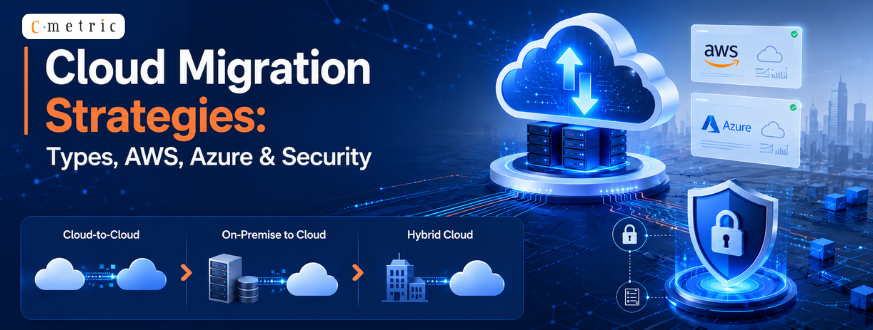
Cloud Migration Strategies: Types, AWS, Azure & Security
Cloud adoption is no longer optional, it is the foundation of digital transformation in 2026. As businesses race to modernize legacy systems, the right Cloud Migration Strategies determine whether that shift delivers results or creates costly disruption. Moving to the cloud unlocks scalability, enhances security, and dramatically improves operational performance. From AWS to Azure, each platform offers unique capabilities that align with different business needs. C-Metric helps organizations navigate this complexity with structured migration plans tailored to their goals and infrastructure. This guide covers migration types, platform strategies, and security essentials every business needs to know.
What Are Cloud Migration Strategies?
Cloud Migration Strategies are structured approaches that guide businesses through moving their data, applications, and workloads from on-premises infrastructure to cloud-based environments. Without a clear strategy, migrations frequently result in downtime, data loss, and spiraling costs. A well-planned migration, on the other hand, ensures a smooth transition that preserves business continuity while unlocking cloud-native benefits.
There are several types of cloud migration strategies, and choosing the right one depends on your existing infrastructure, budget, timeline, and long-term goals. Understanding which approach fits your situation is the most critical decision in the migration process.
Key Goals of Cloud Migration
- Cost optimization
Reduce hardware overhead and pay only for resources you use
- Scalability improvement
Grow or shrink infrastructure dynamically with demand
- Better performance
Leverage cloud processing power and global delivery networks
- Business continuity
Keep operations running uninterrupted during and after migration
Why Strategy Matters in Migration
A structured strategy is a risk management tool. It reduces unplanned downtime, ensures data remains safe and compliant throughout the process, and significantly improves the overall success rate of the migration project.
Types of Cloud Migration Strategies
Every organization has different systems, constraints, and objectives. That is why several different types of cloud migration strategies exist, each designed to match a specific level of transformation.
- Rehosting (Lift and Shift)
Rehosting moves existing applications to the cloud without significant changes to code or architecture. It is the fastest migration option, ideal for businesses that need to exit a data center quickly or cut infrastructure costs without a major redesign. - Replatforming
Replatforming introduces minor optimizations during migration such as switching to a managed database service that improve performance or reduce maintenance overhead without a full architectural rebuild. - Refactoring
Refactoring, also called re-architecting, is the most transformative approach. Applications are redesigned to take full advantage of cloud-native features such as serverless computing and microservices. It requires the most investment but delivers the highest long-term performance gains. - Retiring and Retaining
Retiring means decommissioning applications no longer needed. Retaining means keeping specific legacy systems on-premise when migration is not yet practical or cost-effective. - Relocate. Relocate moves a group of servers, such as a VMware or Kubernetes cluster, to a cloud version of the same platform without rewriting code or retraining staff. It’s one of the fastest cloud migration techniques available when your infrastructure already runs on a platform your provider supports natively, and it works for both AWS and Google Cloud migration services depending on where your workloads currently sit.
- Repurchase. Repurchase means retiring an internally managed system in favor of a ready-made SaaS product. Businesses pick this cloud migration approach when an off-the-shelf solution can replace custom software at a lower long-term cost, trading ongoing maintenance for a predictable subscription.
Together, these approaches offer:
- Faster migration timelines for time-sensitive transitions
- Cost efficiency by eliminating unnecessary infrastructure spend
- Reduced dependency on aging physical hardware
Signs Your Business Is Ready for Cloud Migration
Not every business needs to migrate right now, and rushing into it before the underlying problems are clear rarely ends well. A few signals tend to show up consistently in businesses where migration actually solves something rather than just moving the same problems to a new environment.
Hardware refresh cycles are the most common trigger. When aging servers are approaching end-of-life and the choice is between another capital purchase and a cloud migration, the cloud option usually wins on flexibility alone, even before performance or scalability enter the conversation. Growth that outpaces current infrastructure is another clear signal: if your team is spending more time provisioning and maintaining servers than building the product, that’s time a cloud environment gets back immediately.
Remote or distributed teams are a less obvious trigger but a real one. On-premises infrastructure was built assuming people work from one building. A workforce spread across time zones and locations needs infrastructure that doesn’t assume that anymore, and cloud environments handle distributed access far better than VPN tunnels into a single data center ever will.
The signal that should give you pause, on the other hand, is migrating purely because a competitor did, or because cloud sounds more modern. Migration is a real project with real costs and real risk during the transition window. It’s worth being honest about whether the business case is actually there before committing budget and timeline to it. If you’re not sure which category your business falls into, an honest assessment conversation costs nothing and can save months of a migration that didn’t need to happen yet.
Choosing the Right Cloud Migration Strategy for Your Business
Picking a cloud migration strategy isn’t a one-size-fits-all decision, and there’s rarely a single right cloud migration approach for an entire business. It depends on how much of your architecture you’re willing to touch, your budget, and how soon you need results. Most businesses don’t pick a single strategy either. They mix two or three cloud migration approaches across different workloads: rehosting a low-priority app while refactoring the system that actually drives revenue.
|
Strategy |
Best For | Pros |
Cons |
|
Rehost |
Fast data center exit, tight deadlines | Lower upfront cost, quickest move | Limited cloud-native benefit |
|
Replatform |
Apps that need minor tuning, not a rebuild | Better performance, moderate effort | Some code-level changes still required |
|
Refactor |
Long-term, cloud-native goals | Highest scalability and ROI over time | Highest upfront cost and time |
| Relocate | VMware or Kubernetes environments | Minimal disruption, very fast |
Limited access to newer cloud features |
| Repurchase | Replacing aging custom software | Fast SaaS adoption, predictable cost |
Ongoing subscription cost |
| Retire / Retain | Redundant systems, compliance-bound apps | Cuts waste, reduces risk exposure |
No cloud upside for retained systems |
A few practical notes on top of the table. Rehosting gets treated as the safe default, and for a genuine deadline it is, but it also tends to carry every inefficiency the old environment had straight into the new one. Teams that rehost everything and stop there usually end up paying cloud prices for an on-premises architecture, which defeats a good chunk of the reason to migrate in the first place.
Refactoring earns its higher price tag when a system is actually going to grow. If usage is flat and the application does what it needs to do, the investment case for a full re-architecture is weak no matter how appealing serverless and microservices sound on paper. We tell clients this directly even when it means recommending the cheaper option.
Repurchase is worth a second look for anything built in-house more than five years ago to solve a problem the market has since built dedicated software for. HR systems, ticketing tools, and basic CRMs are common candidates. The build-versus-buy math rarely favors continuing to maintain custom code once a mature SaaS alternative exists.
If you’re weighing a cloud data migration strategy for a database-heavy workload against a full application refactor, the honest answer is that the two often happen in parallel, not in sequence. Comparing cloud migration approaches side by side like this, before committing budget, is usually what separates a smooth migration from a costly one. Talk to our cloud migration experts if you want a read on which combination fits your current stack.
AWS Cloud Migration Strategies
Amazon Web Services is the world’s leading cloud platform, and its ecosystem of migration tools makes it a top choice for enterprises of all sizes. Effective AWS cloud migration strategies begin with a thorough assessment of your current environment identifying dependencies, risks, and optimization opportunities before a single workload moves.
AWS structures its migration process across three phases: assess, mobilize, and migrate and modernize. Each phase ensures that teams are prepared, risks are managed, and workloads transition efficiently.
Key AWS Tools for Migration
- AWS Migration Hub
Centralizes tracking of application migrations across AWS services
- AWS Database Migration Service
Migrates databases with minimal downtime
- AWS Application Migration Service
Automates lift-and-shift migrations for physical and virtual servers
Ultimate Guide to AWS Cloud Migration
For businesses pursuing a detailed migration roadmap, our ultimate Guide to AWS Cloud Migration covers the full journey from pre-migration assessment through post-migration optimization by helping teams plan, execute, and refine every step.
A few things tend to catch teams off guard on AWS specifically. Reserved Instance and Savings Plan commitments made too early, before usage patterns stabilize post-migration, often lock in the wrong instance sizes for six months to a year. It’s usually smarter to run on-demand pricing for the first billing cycle after go-live, watch actual usage, then commit. Cross-region data transfer costs are another one: architectures that split workloads across multiple AWS regions for redundancy can rack up transfer charges nobody modeled during planning if data moves between regions more than expected. Both are easy to avoid with a short cost review a few weeks after migration, before habits set in around how the environment gets used day to day.
Azure Cloud Migration Strategies
Microsoft Azure is the preferred cloud platform for organizations already operating within the Microsoft ecosystem including Office 365, Active Directory, and Dynamics. Azure cloud migration strategies leverage deep integration with these existing tools to accelerate adoption and minimize disruption.
Azure’s hybrid cloud capabilities allow businesses to keep certain workloads on-premise while gradually migrating others to the cloud, making it particularly attractive for regulated industries with strict compliance and data residency requirements.
Azure Migration Tools
- Azure Migrate
A unified hub for discovering, assessing, and migrating on-premise servers, databases, and apps
- Azure Site Recovery
Ensures business continuity during migration with automated failover and recovery
- Azure Database Migration Service
Simplifies database migrations with guided assessments and automation
Azure Cloud Migration
Security and compliance controls are built into Azure at every layer. Our dedicated Azure Cloud Migration resource walks through the strategic steps, common pitfalls, and optimization techniques that ensure a successful move to Microsoft’s cloud platform.
Cloud Migration Security Strategies
Security is the dimension of cloud migration that organizations most frequently underestimate. Cloud migration security strategies address how data is protected during transit, how access is controlled post-migration, and how ongoing compliance obligations are met in the new environment.
Organizations already running Active Directory on-premises get one advantage most migration guides underplay: Azure AD Connect can sync existing identities into the cloud environment before a single application moves, so users log into new systems with credentials they already have instead of learning a second set. This alone removes one of the more disruptive parts of a typical cloud infrastructure migration for staff. Hybrid setups, where some workloads stay on-premises permanently for compliance reasons while others move, also tend to work more smoothly on Azure than on other platforms specifically because of this existing Microsoft ecosystem integration, which is worth factoring in early if your organization runs on Office 365 and Dynamics already.
Cloud Migration Security Strategies
Security is the dimension of cloud migration that organizations most frequently underestimate. Cloud migration security strategies address how data is protected during transit, how access is controlled post-migration, and how ongoing compliance obligations are met in the new environment.
Encryption, identity controls, and real-time monitoring are the three pillars of a secure migration.
Security Best Practices for Cloud Migration
- Data encryption
Encrypt data both at rest and in transit using industry-standard protocols
- Access control through IAM
Implement identity and access management to restrict access to authorized users and services only
- Continuous monitoring
Deploy SIEM tools to detect and respond to threats in real time
A security-first migration approach delivers:
- Prevention of data breaches during the vulnerable transition window
- Ensured compliance with GDPR, HIPAA, and ISO 27001 standards
- Protected cloud infrastructure with defined security perimeters and audit trails
These three standards get mentioned together often enough that it’s worth being specific about what each actually requires during a migration, since they don’t overlap as much as people assume. GDPR is primarily about where data physically resides and who can access it, which means data residency requirements need to be locked down before migration starts, not adjusted afterward once workloads are already running in a region that doesn’t satisfy them. HIPAA focuses more on audit trails and access logging for anyone who touches patient data, including during the migration itself, so the migration process needs its own logging in place rather than only the destination environment. ISO 27001 is the broadest of the three, covering the organization’s overall information security management rather than a specific data type, and it’s usually the one that gets checked last even though preparing for it earlier saves a rework cycle at the end. None of these are optional add-ons bolted onto a migration plan after the fact. They need to shape the plan from the assessment stage onward.
Common Cloud Migration Challenges (And How to Avoid Them)
Even a solid plan can run into trouble mid-execution. These are the issues that come up most often, and what tends to prevent them.
Cost overruns are the most common complaint we hear. Cloud spend is usage-based, so teams that skip a proper cost model before migrating often end up paying more than they did on-premises. A cloud computing migration strategy that includes cost projections up front, not after the first invoice arrives, is what avoids this. A second cloud computing migration strategy mistake worth naming here is treating the projected budget as fixed instead of revisiting it once workloads are actually running.
Compatibility issues show up next. Legacy applications built for specific hardware or network setups don’t always behave the same way once moved. Testing dependencies early, before the migration window opens, catches these problems before they turn into downtime.
Vendor lock-in is the one businesses regret later rather than during the project itself. Choosing tools that only work with one provider can box you in. Staying provider-agnostic where possible keeps your options open if you need to switch platforms down the line.
Downtime during the move rounds out the list. Migrations that try to move everything at once carry the highest risk. Staging the rollout and prioritizing low-risk workloads first keeps live systems stable.
If any of this sounds familiar from a past migration attempt, a cloud migration methodology built around your specific stack, backed by our DevOps services for ongoing stability, can prevent a repeat.
Two more risks worth flagging separately. Security gaps during the transition window are common because access controls, encryption, and monitoring tools don’t always carry over cleanly from the old environment, leaving a gap between when data leaves on-premises servers and when it’s fully protected in the cloud. A staged cutover with security validated at each stage closes that gap instead of leaving it open for the length of the project. The second is a skills gap on the internal team. Cloud platforms change fast, and an IT team that has spent years managing on-premises hardware doesn’t automatically have the AWS, Azure, or Kubernetes expertise a modern migration needs. Bringing in outside migration specialists for the transition, even temporarily, tends to be far cheaper than the rework caused by a team learning on a live production environment.
Cloud Migration Framework: A Step-by-Step Execution Process
Picking a strategy is only half the job. How you execute it decides whether the migration finishes on schedule or drags into a six-month firefight. Here’s the process we run with clients, start to finish.
- Discovery and assessment Before anything moves, we inventory every application, database, and dependency in the current environment. This step surfaces the connections that don’t show up in documentation: the internal tool that quietly depends on a database nobody remembers configuring, the integration that breaks if a service moves before its dependency does. Skipping this step is the single biggest reason migrations blow their timeline.
- Workload prioritization Not every system needs to move on day one. We rank workloads by risk and business impact, then sequence the migration so low-risk, low-dependency systems go first. This builds confidence in the process and surfaces problems early, while the stakes are still low, instead of during the migration of a system customers depend on.
- Strategy selection per workload This is where the six approaches, rehost, replatform, refactor, relocate, repurchase, and retire or retain, get matched to individual systems rather than applied as a blanket decision. A ten-year-old internal reporting tool might get rehosted as-is. The customer-facing application driving revenue might justify a full refactor. Mixing strategies within one project is normal, not a sign of an unclear plan.
- Environment setup and testing The target cloud environment gets built and tested before production data touches it. Networking, IAM roles, storage configuration, and security groups are configured and validated against a checklist, not assumed to be correct because the cloud provider’s defaults look reasonable.
- Data and application migration The actual move happens in scheduled windows, usually outside business hours for customer-facing systems. Data migration includes validation at the end, not just a copy-and-confirm. We check record counts, referential integrity, and that dependent applications can actually read and write against the new environment correctly.
- Post-migration validation Once a workload is live in the cloud, we run it in parallel with monitoring against the pre-migration baseline. Response times, error rates, and resource usage all get compared against what the system did on-premises. If something regresses, this is the window to catch it before users notice.
- Optimization and handoff Migration isn’t the finish line. Right-sizing compute resources, tuning auto-scaling rules, and setting up cost alerts happen in the weeks after go-live, once real usage patterns are visible instead of projected ones. This is also where we hand off documentation and, for clients who want it, an ongoing management arrangement rather than a one-time project.
If your environment leans heavily on Microsoft tools already, our Microsoft Azure development services team runs this same process with Azure-specific tooling at each step, from Azure Migrate for discovery through Azure Monitor for the post-migration baseline comparison.
How Long Does a Cloud Migration Actually Take?
This is usually the second question after “which strategy,” and the honest answer is that it depends more on workload count and complexity than on company size. A single application with a straightforward database can rehost in a matter of weeks. A full enterprise environment with dozens of interdependent systems, some of them candidates for refactoring, typically runs somewhere between four and nine months from initial assessment to full cutover.
A few factors move that timeline more than people expect. The number of application dependencies matters more than the number of applications themselves; ten loosely connected systems migrate faster than five tightly coupled ones. Compliance requirements add time proportional to how strict they are, since regulated industries need extra validation at each stage rather than a single check at the end. And the chosen mix of strategies matters too: a project that’s mostly rehosting moves faster than one where half the workloads are being refactored, simply because refactoring involves actual development work rather than a lift-and-shift.
The instinct to compress the timeline to save cost usually backfires. Migrations rushed past the assessment and testing phases tend to surface their problems in production instead, which costs far more to fix than the time saved by skipping validation. A realistic timeline, agreed on upfront and built around actual dependency mapping rather than a generic estimate, is one of the better predictors of whether a migration finishes on budget.
Rehost, Replatform, or Refactor: A Closer Look at the Big Three
The six strategies matter, but in practice most migration decisions come down to picking between rehost, replatform, and refactor for a given workload. It’s worth spending a bit more time on how to actually choose between these three, since they get confused with each other more than the other approaches.
The clearest way to separate them is by how much of the application actually changes. Rehosting changes nothing about the application itself; only its physical location changes, from an on-premises server to a cloud instance. This is why it’s fast: there’s no code review, no testing against new architecture, nothing beyond confirming the application runs the same way in its new home. The tradeoff is that anything inefficient about the original setup, an underused database, an outdated framework, a manual process that should be automated, comes along for the ride unchanged.
Replatforming sits in the middle. The application’s core logic and structure stay the same, but specific components get swapped for cloud-native equivalents. A common example is moving a self-managed database to a managed database service from the cloud provider. The application code barely changes, but the operational burden of patching, backups, and scaling that database drops significantly. This is often the best return on effort of the three, since it captures real operational benefit without the cost and risk of a full rebuild.
Refactoring is a different category of project entirely. It’s not really a migration with extra steps; it’s closer to a rebuild that happens to end with the application running in the cloud. Teams considering refactoring should be honest about whether they’re solving a genuine architectural problem or just chasing the appeal of modern infrastructure. When the business case is real, usually unpredictable scaling needs or a codebase that’s become genuinely difficult to maintain, refactoring pays for itself. When it isn’t, replatforming usually delivers most of the benefit at a fraction of the cost and risk.
A practical rule that holds up across most engagements: start with rehost or replatform for anything that isn’t core to the business, save refactoring for the systems where performance or scalability genuinely drives revenue, and resist the temptation to refactor everything just because the tooling makes it possible.
Why Businesses Need Cloud Migration Strategies in 2026
Digital workloads are growing faster than legacy infrastructure can support. Businesses that have not adopted a structured cloud strategy face mounting performance bottlenecks, security vulnerabilities, and escalating maintenance costs. Cloud Migration Strategies provide the roadmap to close that gap and compete effectively.
Business Benefits of Cloud Migration
- Lower IT costs
Shift from capital expenditure on hardware to predictable operational spending
- Faster deployment
Release new features and services in hours, not weeks
- Improved performance
Leverage globally distributed infrastructure for low-latency experiences
Additional business outcomes include:
- Better resource utilization through dynamic allocation and auto-scaling
- High availability systems with built-in redundancy and failover
- Enhanced customer experience through faster, more reliable digital services
How C-Metric Helps in Cloud Migration
C-Metric brings deep cloud expertise and a proven methodology to every migration engagement. From the initial assessment through post-migration optimization, our team manages the full journey, ensuring businesses move to the cloud safely, efficiently, and with minimal disruption.
C-Metric’s Migration Approach
- Assessment and planning
Audit existing infrastructure, map dependencies, and identify risks
- Strategy design
Select the right migration type and platform for each workload
- Execution and optimization
Migrate, monitor, and continuously refine the cloud environment
No two engagements follow identical steps. A content-heavy website moves differently than a database running live customer transactions, and our cloud application development services team adjusts the plan, the testing window, and the rollback approach for each case. For data-heavy systems, we pay close attention to how cloud migration data is validated once the move is complete: record counts, referential integrity, and application behavior all get checked before we call a migration done. Getting the cloud migration data validation step right the first time saves far more rework than fixing it after go-live.
Industries We Serve
C-Metric supports cloud transformation across Healthcare, Retail, IT services, and Manufacturing, each with tailored compliance and performance requirements.
Cloud Migration for Regulated and Data-Heavy Industries
Not every industry migrates the same way, and treating a hospital system’s move the same as a retail company’s misses real differences in what actually matters during the transition.
Healthcare organizations carry HIPAA obligations that don’t pause during migration. Patient data has to stay encrypted and access-controlled through every phase of the move, not just once it lands in its final environment, which usually means a slower, more staged approach than other industries can get away with. Retiring and retaining decisions also carry more weight here, since some legacy systems tied to older medical devices or billing platforms genuinely can’t move without risking compliance gaps, and forcing a migration on them anyway creates more risk than it removes.
Manufacturing and logistics businesses tend to have the opposite problem: less regulatory friction, but deep dependencies on operational technology and legacy ERP systems that were never designed with the cloud in mind. A rehost often makes sense as a first step for these systems, buying time to plan a proper refactor later rather than forcing a full re-architecture before anyone fully understands the dependency map.
Retail and e-commerce businesses usually have the clearest case for refactoring, since traffic spikes around sales events make auto-scaling a genuine business need rather than a nice-to-have. A rehosted e-commerce platform still falls over during a flash sale the same way the on-premises version did; the architecture itself has to change to solve that problem, not just relocate it.
If your business sits in one of these industries and the standard playbook doesn’t quite fit, that’s normal. It’s worth a conversation before committing to a migration timeline built around generic best practices instead of what your specific compliance and operational requirements actually demand.
Why Choose C-Metric
- Expert cloud consultants with hands-on experience across AWS and Azure
- Secure migration process backed by industry-standard security frameworks
- Scalable architecture design built to support long-term business growth
Conclusion
Cloud Migration Strategies are the engine behind successful digital transformation in 2026. Whether you are moving to AWS, Azure, or a hybrid environment, a structured approach ensures your business benefits from lower costs, stronger security, and significantly better performance. The right strategy paired with the right technology partner turns a complex migration into a measurable competitive advantage.
Ready to start your cloud migration journey? Get in touch with us at C-Metric’s cloud experts are here to help you migrate smarter, faster, and more securely.
Frequently Asked Questions
Q1. What is a cloud migration strategy?
The plan for how each application and data set moves to the cloud, whether that’s rehosting as-is or refactoring for cloud-native performance.
Q2. What’s the difference between cloud infrastructure migration and a cloud data migration strategy?
The first covers servers and the environment applications run in. The second is about moving databases safely, with validation to make sure nothing is lost.
Q3. Which cloud migration techniques reduce downtime the most?
Staged rollouts. Move low-risk applications first, validate them in production, then move critical systems.
Q4. Do you need a formal cloud migration framework, or can you migrate without one?
You can migrate without one, but it’s a gamble. A consistent cloud migration methodology is what keeps large migrations from turning into scope creep.
Q5. How is migration in cloud computing different from a typical IT infrastructure upgrade?
A regular upgrade replaces hardware in place. Migration in cloud computing changes where your systems live entirely, with new cost models and security boundaries to plan for.