
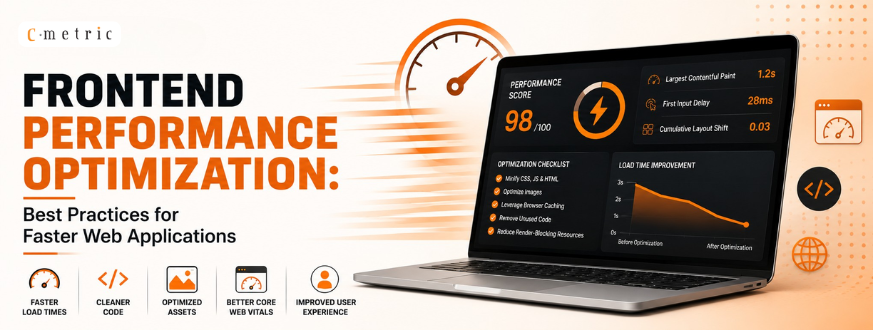
Frontend Performance Optimization: Best Practices for Faster Web Applications
Code Splitting, Lazy Loading, Tree Shaking & Dynamic Imports
Introduction
Modern websites are getting bigger and heavier. As we add more features, our JavaScript files (called “bundles”) grow in size. Big bundles take longer to download, use more data, and make users wait. Nobody likes a slow website.
To fix this, developers use four simple techniques: Code Splitting, Lazy Loading, Tree Shaking, and Dynamic Imports. They sound similar, but each one solves a different problem.
1. Code Splitting
Instead of sending one giant JS file, Code Splitting breaks it into smaller pieces. Each piece loads only when the user actually needs it.
We can Use Code Splitting when your app has many sections that not every user will visit, like an admin panel, a checkout page, or a settings screen — the kind of interface often built with a MEAN and MERN stack.
It cuts down the initial download size, so the first screen loads faster.
It’s used on an online shopping site like Amazon, the homepage loads quickly. The checkout code only downloads when you click “Buy Now” — not before.
Old vs New: Earlier, all pages of a website were packed into one big bundle.js, even if a user only viewed the homepage. Today, tools like Webpack, Vite, and frameworks like Next.js automatically split code by page or route in modern web application development, sending only what’s needed.
Pros
- Faster first load
- Better browser caching
- Easier to scale as the app grows
Cons
- Too many small files can mean too many network requests if not planned well
2. Lazy Loading
Lazy Loading delays loading of images, components, or page sections until they are actually about to be seen or used.
Use it for images below the fold, dashboard tabs, long product lists, or infinite scroll pages.
It saves bandwidth and makes the page feel faster, since the browser isn’t wasting time loading things the user hasn’t scrolled to yet.
It’s used on Instagram or Pinterest, photos load only as you scroll down. A dashboard with six tabs will load the first tab’s data then the other five load only when clicked.
Old vs New: Earlier, every image and section loaded the moment the page opened, even if the user never scrolled that far. Now, browsers support the native loading=”lazy” attribute, and tools like the Intersection Observer API and React Suspense — both common in modern full stack development services — load content only when it’s about to appear.
Pros
- Less data used
- Quicker initial page load
- Better experience on slow networks
Cons
- A small delay appears the first time hidden content loads
- Layout can shift if space isn’t reserved properly
3. Tree Shaking
Tree Shaking removes JavaScript code that is never actually used, during the build process like shaking a tree to drop dead leaves.
Use it whenever you import a library but only need a small part of it.
It keeps your final bundle small by cutting out unused code automatically.
It’s used on If you only need a single function from Lodash, such as debounce, import only that function instead of the entire Lodash library. This allows your build tool (bundler) to include only the code you actually use, making your application smaller and faster.
The same idea applies to date libraries. Many developers switched from Moment.js to date-fns because date-fns lets you import only the functions you need. This helps reduce the final bundle size and improves your application’s performance, which also makes ongoing maintenance and support easier.
Old vs New: Older CommonJS-style code (require()) made it hard for tools to know which parts were unused, so entire libraries got shipped. Modern ES Modules (import/export) combined with tools like Webpack 5, Rollup, and esbuild — often set up as part of modern DevOps services and solutions — can clearly see and remove unused code.
Pros
- Smaller final bundle
- Faster download and parsing
Cons
- Doesn’t work well with older CommonJS libraries or packages that have “side effects”
4. Dynamic Imports
Dynamic Imports use the import() function to load a piece of code only at the exact moment it’s needed, instead of loading it upfront.
Use it for heavy, optional features like PDF generators, chart libraries, rich text editors, or chat widgets.
It keeps the app’s starting bundle small, so most users — who never touch that feature — don’t download it at all.
It’s used on in an online document editor built with cloud application development services, the formatting toolbar and PDF-export library load only when the user clicks “Export as PDF,” not when the page first opens.
Old vs New: Earlier, all libraries were bundled together and loaded at start-up, whether used or not. Now, native import() syntax, along with React.lazy() or Next.js dynamic() — both key tools in MERN stack development, loads code on demand.
Pros
- Faster startup time
- Less wasted bandwidth for features people rarely use
Cons
- A short delay happens the first time the feature loads
- A loading spinner is needed for a smooth experience
Conclusion
These four techniques work best when used together. Dynamic Imports help split your code into smaller parts. Code Splitting creates smaller JavaScript files instead of one large file. Lazy Loading loads those files only when they are needed, and Tree Shaking removes unused code so your application includes only what it actually uses.
When combined, these techniques make websites load faster, reduce the amount of data users need to download, and provide a smoother browsing experience. We can use tools like Lighthouse and WebPageTest to measure your website’s performance and identify areas for improvement.
By applying these optimization techniques, we can build web applications that remain fast, efficient, and scalable even as they become larger and more feature-rich.