
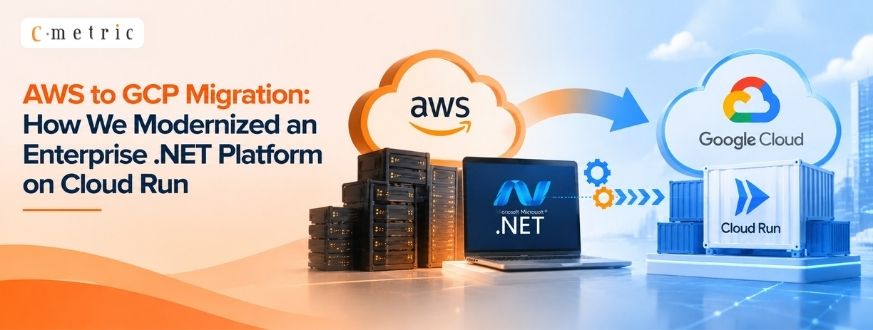
AWS to GCP Migration: How We Modernized an Enterprise .NET Platform on Cloud Run
Introduction
This AWS to GCP migration addressed procurement, logistics, contract management, and financial operations. As the application grew, performance issues, operational complexity, and infrastructure costs also increased. To address these challenges, the application was migrated to Google Cloud Platform (GCP) using a cloud-native architecture.
In this project, the application was migrated an enterprise procurement and logistics platform from Amazon Web Services (AWS) to Google Cloud Platform (GCP). The platform, built with Angular and .NET 8, supports procurement deals, vessel planning, contract approvals, financial workflows, and document management for large-scale business operations.
The migration focused on five key objectives:
- Improve application response time
- Reduce infrastructure costs
- Modernize deployment architecture
- Enhance security and compliance
- Simplify DevOps and release management
Why Was Migration Necessary?
Although the application was stable on AWS, several operational challenges began affecting business productivity.
Some of the major issues included:
- Slow login and data retrieval
- Large record listing delays
- Form submission latency
- Stored procedure timeouts
- VPN tunnel latency between services
- Increasing infrastructure costs
- Complex deployment workflows
These challenges made it clear that a reactive fix wouldn’t be enough, so the team began mapping out a full AWS to GCP migration. That evaluation centered on a Google Cloud migration as the long-term solution to performance, cost, and scalability concerns.
Existing AWS Architecture
The application was designed using multiple managed AWS services. While this architecture provided scalability, it also introduced operational complexity because business functionality was distributed across several services.
The platform relied on multiple AWS managed services, including:
- AWS Lambda
- Amazon API Gateway
- Amazon Aurora (MySQL)
- Amazon S3
- Route 53
- CloudFront
- AWS WAF
- AWS IAM
- Amazon VPC
- CloudWatch
- CloudTrail
- Amazon Cognito
- Event Bridge
While these services provided scalability, the overall architecture became increasingly complex and expensive to maintain.
Designing the Target Architecture for the AWS to GCP Migration
Instead of performing a simple lift-and-shift migration, the team redesigned the platform using cloud-native GCP services.
The new architecture included:
| AWS | Google Cloud |
|---|---|
| AWS Lambda | Cloud Run |
| Aurora (MySQL) | Cloud SQL (MSSQL) |
| S3 | Cloud Storage |
| Code Deploy | Cloud Build |
| Container Registry | Artifact Registry |
| Event Bridge | Cloud Scheduler |
| API Gateway | API Gateway |
| WAF | Cloud Armor |
| CloudWatch | Cloud Logging & Monitoring |
| CloudTrail | Cloud Audit Logs |
| IAM | IAM & Service Accounts |
Azure DevOps continued to be used as the source code repository while integrating with GCP deployment pipelines.
Containerizing .NET APIs with Cloud Run
One of the biggest architectural improvements was moving from serverless functions to containerized services. Each API was packaged as an independent Docker container and deployed through Cloud Build into Cloud Run.
Initially, Cloud Functions were evaluated, but runtime and port-binding limitations made them unsuitable for the application’s API workload.
The solution involved:
- Dockerizing every .NET 8 API
- Publishing images to Artifact Registry
- Deploying APIs on Cloud Run
- Enabling automatic HTTPS
- Configuring autoscaling
This approach resulted in a highly scalable API platform with simplified deployments and improved operational stability.
Database Modernization
Database performance was one of the largest pain points. Several stored procedures were reviewed and optimized during migration to reduce execution time and improve query plans.
The previous Aurora (MySQL) environment experienced stored procedure timeouts and inconsistent query performance.
To address this, the team:
- Migrated to Cloud SQL (MSSQL)
- Optimized stored procedures
- Improved indexing
- Tuned query execution
The outcome was immediate:
- Elimination of timeout issues
- Faster pricing calculations
- Better transactional consistency
- Improved overall database performance
Secure Document Management
Document upload and download operations required stronger security after migration.
The implementation included:
- Signed URLs with expiration and HTTP method restrictions.
- Proper IAM configuration
- URL signing with appropriate HTTP methods
This resulted in reliable and secure document access while maintaining scalability.
Simplifying Logging and Monitoring
Instead of maintaining custom logging infrastructure, Cloud Run’s native logging capabilities were adopted.
Benefits included:
- Automatic log collection
- Faster issue diagnosis
- Centralized monitoring using Logs Explorer
Operational visibility improved significantly with minimal configuration.
Secure Authentication with Microsoft SSO
Microsoft SSO integration required additional HTTPS forwarding configuration because Cloud Run operates behind a managed load balancer.
The implementation included:
- Forwarded headers in .NET
- Redirect URI alignment
- HTTPS enforcement
This enabled a secure and seamless single sign-on experience for enterprise users.
Automating Scheduled Jobs
Background jobs previously managed using AWS EventBridge were migrated to Cloud Scheduler.
Cloud Scheduler securely invokes Cloud Run services using authenticated HTTP requests with service accounts, providing reliable execution of scheduled business processes.
For a deeper look at scheduling strategies, see our guide on NCrontab and Customization.
Business Impact
The AWS to GCP migration delivered measurable improvements across the platform.
Performance
- Login response improved significantly.
- Faster record listing
- Large record retrieval completed noticeably faster.
- Improved form submission
- Database timeout issues were eliminated.
Cost
- Reduced monthly infrastructure expenditure
- Better cloud resource utilization
Security
- IAM-based access control
- Cloud Armor protection
- HTTPS enforcement
- Centralized audit logging
DevOps
- Faster deployments
- Simplified CI/CD
- Reduced manual release effort
Reliability
- Elimination of database timeout issues
- Stable containerized APIs
- Improved monitoring and observability
Key Lessons Learned
During this migration, several practical observations helped improve the final solution.
- Avoid treating migration as a simple infrastructure move; use it as an opportunity to modernize.
- Containerized services provide greater flexibility for enterprise .NET workloads than function-based deployments in many scenarios.
- Database optimization is just as important as application migration.
- Native cloud services simplify operations and reduce maintenance overhead.
- Security and observability should be built into the architecture from the beginning.
Conclusion
This AWS to GCP migration was not simply a change of cloud provider—it was a complete modernization of the platform.
By adopting Cloud Run, Cloud SQL, Cloud Build, Cloud Armor, and other managed GCP services, the team delivered a solution that is faster, more secure, easier to operate, and more cost-efficient.
The migration not only replaced AWS services with their GCP equivalents but also simplified deployment, improved database performance, reduced operational overhead, and provided a scalable platform for future enhancements.
FAQs
Q: What does an AWS to GCP migration typically involve?
A: It means redesigning cloud-native services, not just moving infrastructure — in this case, replacing AWS Lambda, Aurora, and EventBridge with Cloud Run, Cloud SQL, and Cloud Scheduler on GCP.
Q: What replaced AWS Lambda in the new architecture?
A: Cloud Run. The team containerized every .NET 8 API with Docker instead of using serverless functions, which gave more flexibility for the app’s workload.
Q: Why was Cloud SQL chosen over Aurora (MySQL)?
A: Aurora was causing stored procedure timeouts and inconsistent query performance. Migrating to Cloud SQL (MSSQL) and optimizing procedures fixed both issues.
Q: How are scheduled background jobs handled now?
A: Cloud Scheduler replaced AWS EventBridge, triggering Cloud Run services via authenticated HTTP requests with service accounts.
Q: Did the migration affect security or compliance?
A: Yes — Cloud Armor, IAM-based access control, HTTPS enforcement, and centralized audit logging replaced the equivalent AWS WAF/IAM/CloudTrail setup.